macOS development

FluidFlow Live Wallpaper

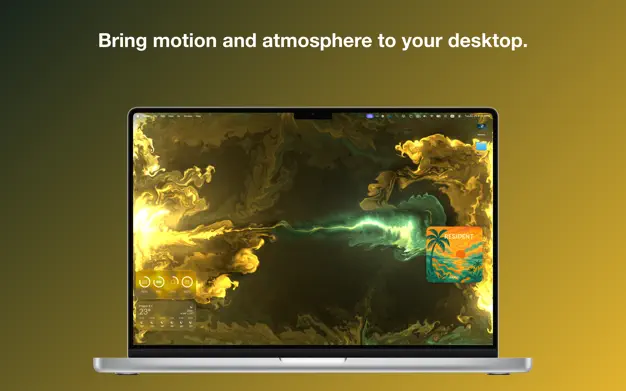
FluidFlow renders an animated fluid background behind desktop icons and gives macOS a stronger sense of atmosphere. The app ships as a menu bar utility with a settings window, appearance and performance controls, launch-at-login support, backup and restore for preferences, and a music mode that reacts to the sound already playing on the Mac. Rendering stays on-device, the microphone is not used, and the App Store notes and privacy details are included.

Status
Live
Focus
macOS development
Quick overview
Quick overview
SwiftUIAppKitMetalSystem audioMenu bar app
Metal-based fluid renderer for the desktop background
Music Mode reacts to the audio already playing on the Mac
System audio on newer macOS, Screen Recording fallback on older releases
No microphone use and no off-device audio upload
Settings, privacy copy, and launch-at-login support
What FluidFlow does

What makes it worth showing

A live macOS utility with a fluid animated background and music response from the sound already playing on the Mac.

Detail

FluidFlow renders an animated fluid background behind desktop icons and gives macOS a stronger sense of atmosphere. The app ships as a menu bar utility with a settings window, appearance and performance controls, launch-at-login support, backup and restore for preferences, and a music mode that reacts to the sound already playing on the Mac. Rendering stays on-device, the microphone is not used, and the App Store notes and privacy details are included.

App Store

FluidFlow for the App Store

A short summary of store setup, privacy, and review notes.

App Sandbox is enabled.
Music Mode asks for explicit consent before it reads system audio.
The microphone is never used.
The app stays functional with Music Mode turned off.
Receipt validation is ready for the App Store build.
Privacy

Everything runs locally, without a microphone, account, or audio upload.

Review

Music Mode uses system audio or falls back to Screen Recording.